EverLingo: An AI Language Companion That Remembers
Whether you’re a student learning a foreign language or a working professional who needs to use a foreign language and remember domain-specific terminology, you face the same problem:
Learning a language requires recording and organizing knowledge, but people are naturally bad at keeping up with it.
You may look up the same word or term n times, thinking, “I’ll remember it this time.” Then you encounter it again and have to start from scratch.
Traditional dictionaries and translation tools have a few limitations:
- They tend to give you generic answers. Domain-specific information that matters to you may be missing, or buried under information you have to filter out.
- They leave it up to you to capture and organize the knowledge you actually want to keep.
- When you ask about the same thing again, they usually have no idea what you learned last time.
EverLingo addresses this gap by turning your learning interactions into contextual notes — building a personal knowledge base that your AI language companion can use again later.
Learn in context. Make your notes work for you. 🐹
What is EverLingo?
In one sentence: An AI language companion with memory.
EverLingo is an AI language companion that captures your learning context as you learn. When you look up a word, translate a sentence, or ask a question, Nori 🐹 can turn that moment into a useful note — including the context in which you learned it. Later, those notes can be recalled when they are relevant, helping you strengthen your memory instead of starting from scratch again.
Think of it as an OpenClaw lobster 🦞 optimized for language learning — or simply your own little AI learning companion 🐹.
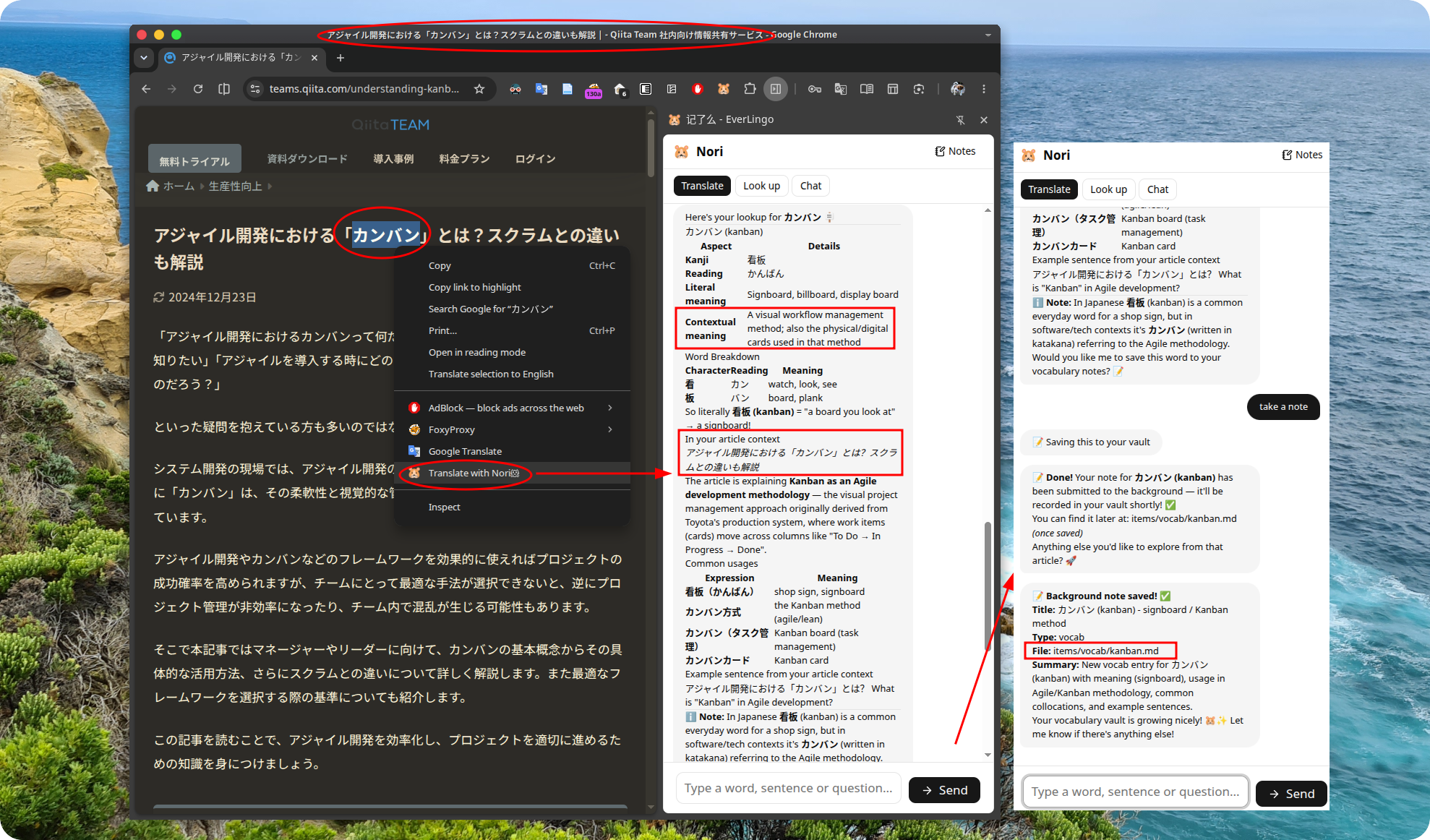
Figure: Capturing notes with the browser extension
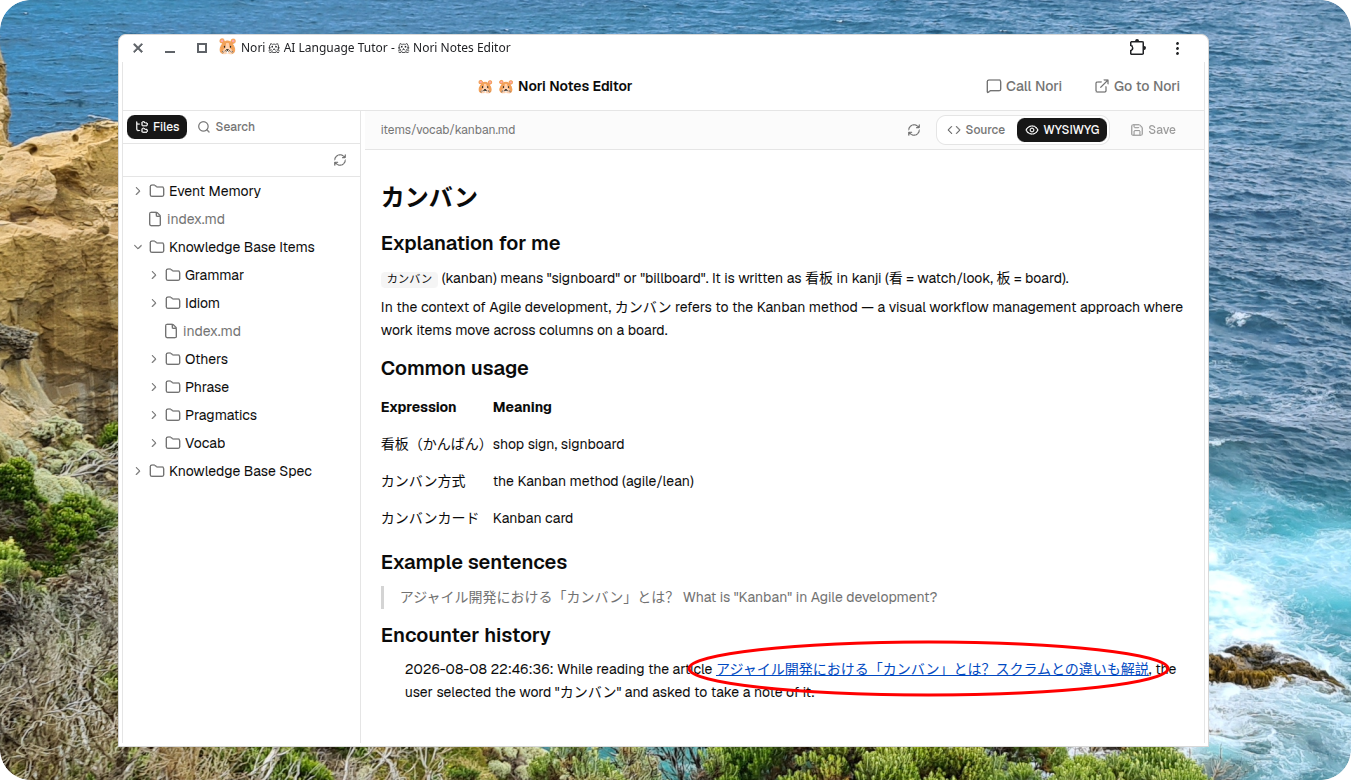
Figure: A note-taking scenario
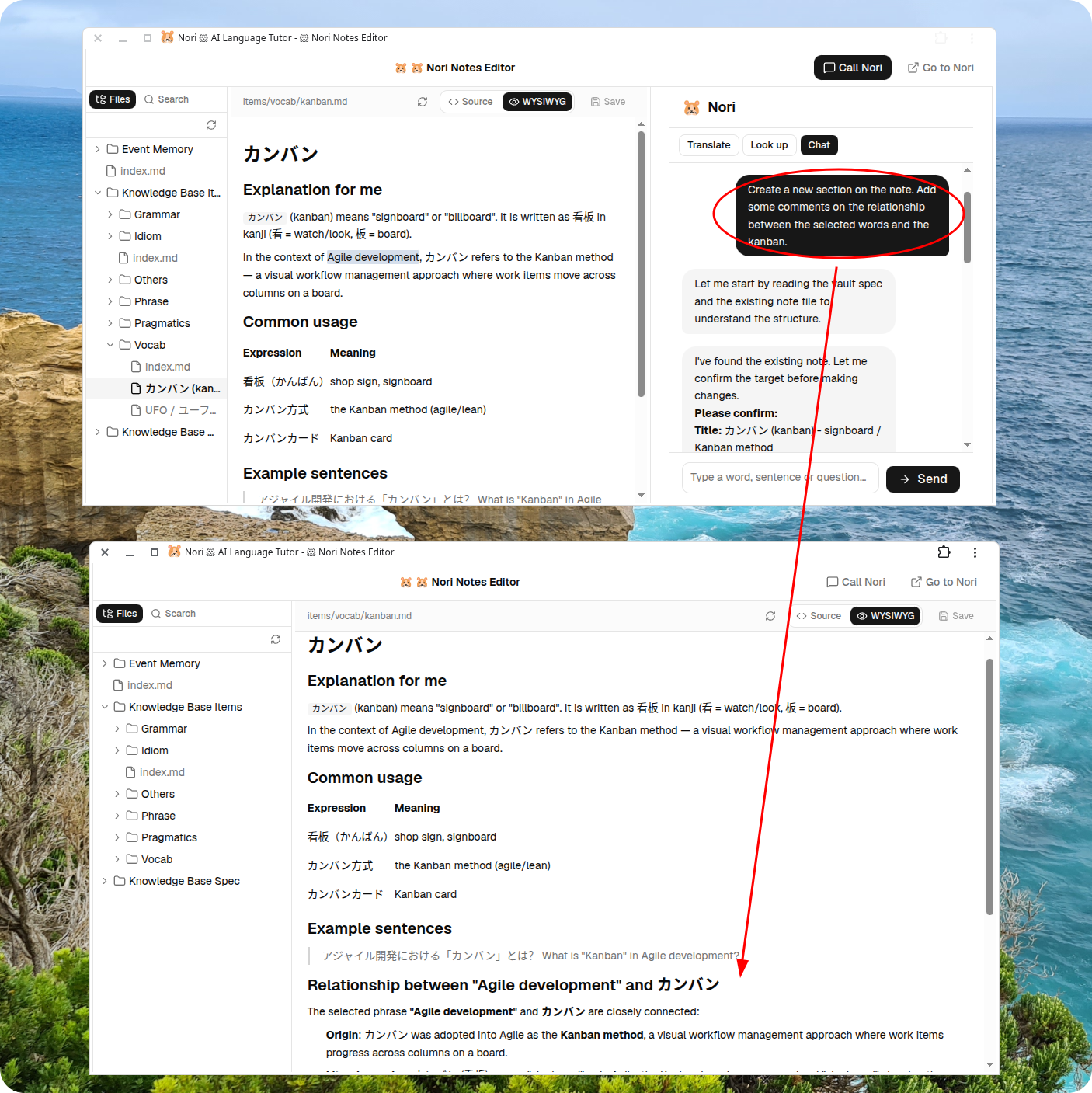
Figure: AI-assisted note editing and human-AI “vibe noting”
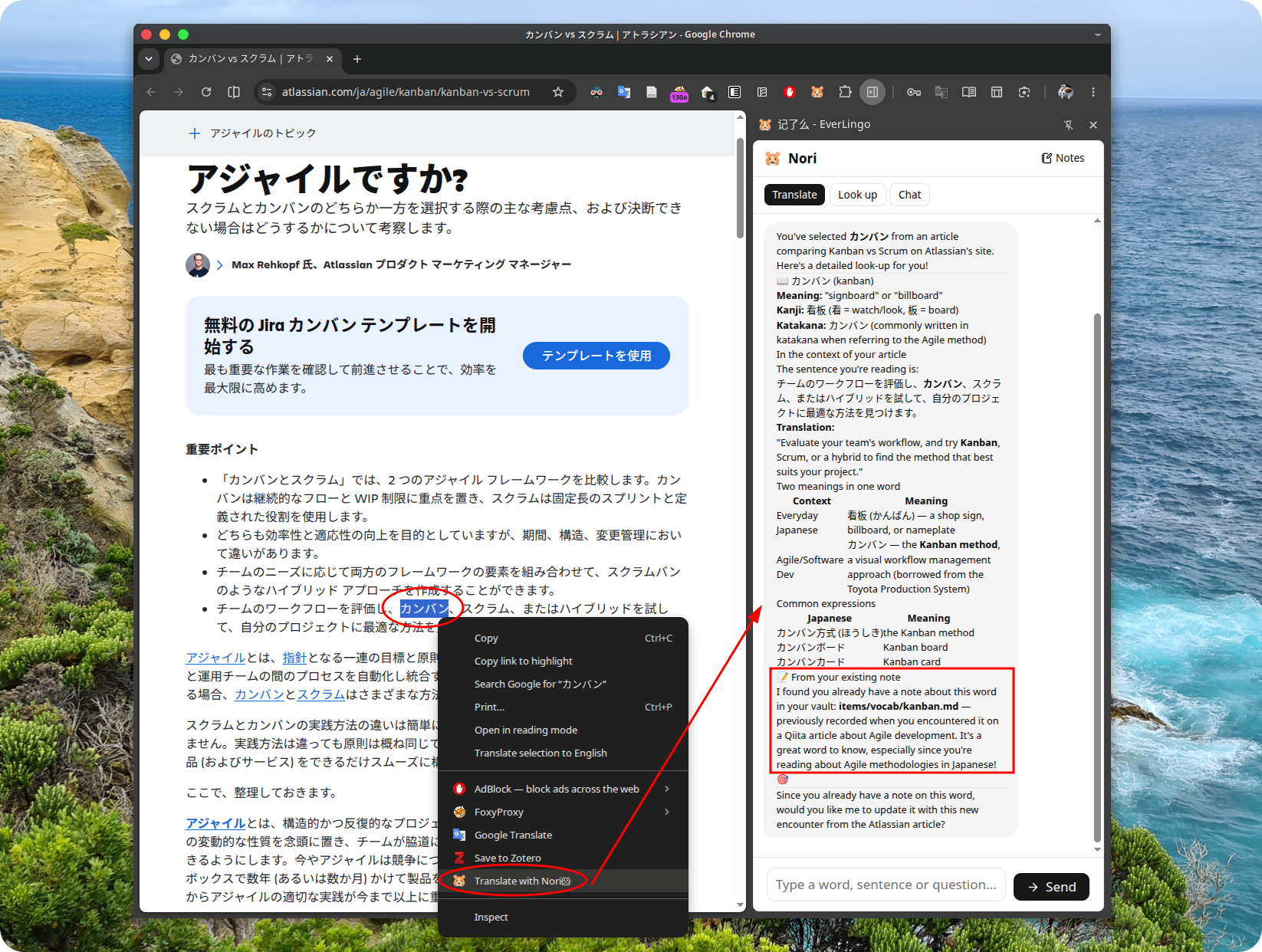
Figure: Bringing your accumulated notes back to life
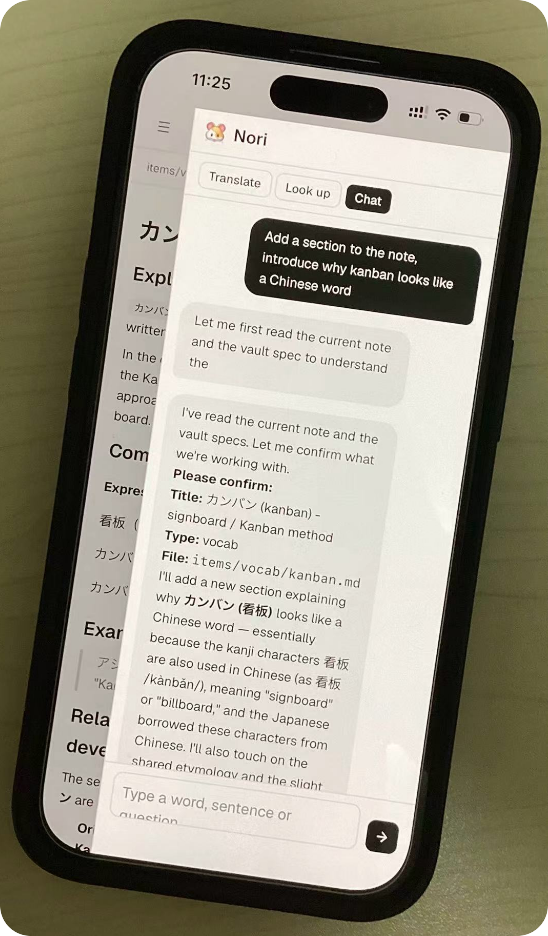
Figure: AI note-taking through chat on mobile
Features
- Learn through conversation
- Know your preferences. Deliver knowledge that fits you
- Turn what you look up into useful notes
- Bring your notes to life
- Your notes are yours
- Multiple ways to access
- Multilingual support
Learn through conversation
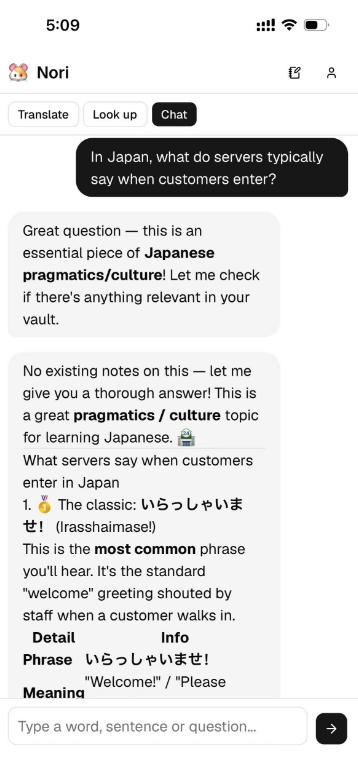
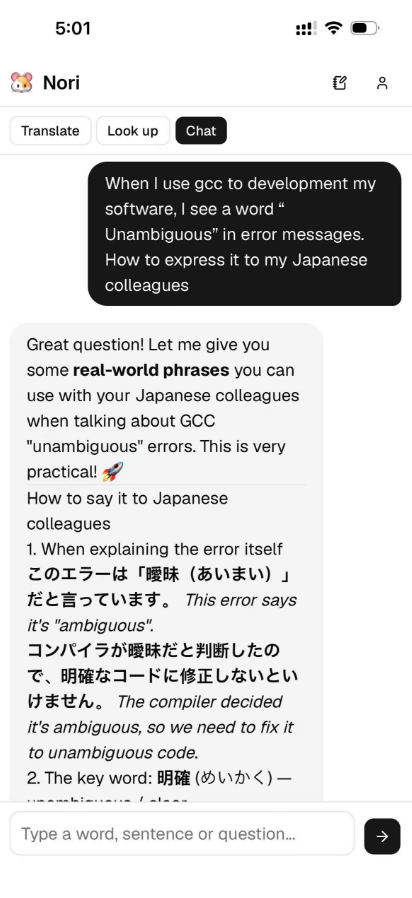
The core of EverLingo is a conversational chatbot Nori 🐹. Just ask.
You can chat with Nori about word lookups, translations, grammar questions, and differences between expressions.
Know your preferences. Deliver knowledge that fits you
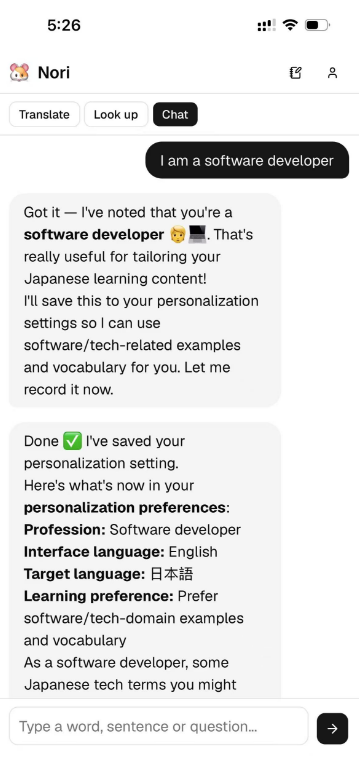
Nori dynamically learns your preferences during conversations. You can simply tell it, “I’m a backend developer and mainly read technical documentation,” or “I’d like more etymology when you explain words.” It remembers these preferences and reflects them in future responses.
It gives you explanations tailored to your language level and background, rather than one-size-fits-all dictionary definitions.
For example, if you’re a programmer, it can explain a word in a technical context; if you work in business, it can prioritize business-oriented example sentences.
These preferences are stored in a file called USER.md. You can edit it yourself or ask Nori to update it.
Turn what you look up into useful notes
Language learning — especially learning terminology in a specialized domain — creates a lot of knowledge worth keeping. The problem is that taking and maintaining notes is tedious.
EverLingo helps you capture useful notes while you are learning. Nori 🐹 can organize lookup results together with your own additions, preserving the learning context behind each note. You can search, edit, and browse your notes, while AI helps maintain the knowledge base through natural conversation.
That context is not just stored for later. When a related topic comes up again, Nori can recall the relevant notes and bring the original learning context back into the conversation.
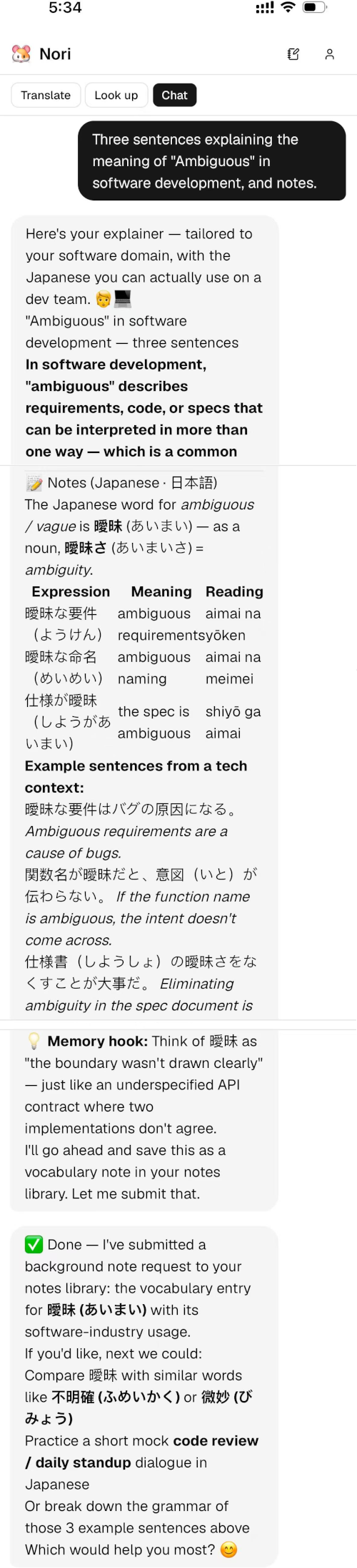
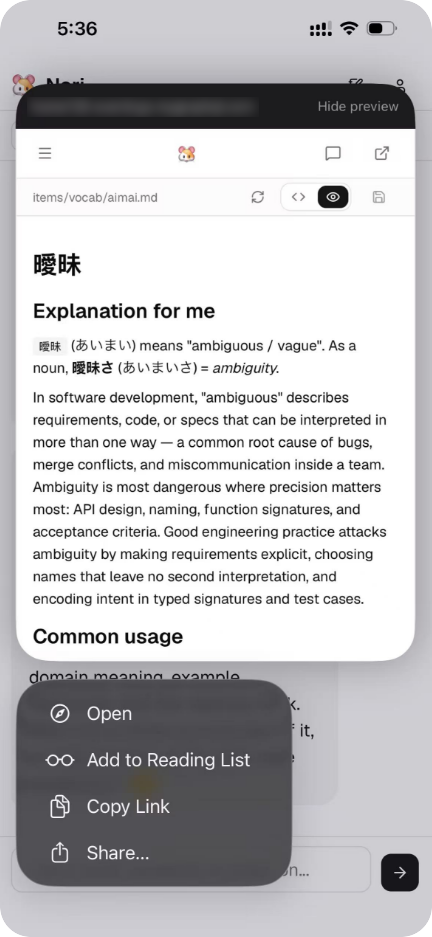
Browser extension: Look it up, and the context is captured
The browser extension brings word selection, dictionary lookup, translation, and web reading together. When reading an webpage, select an unfamiliar word and Nori can capture the context of that lookup — which article you were reading, which paragraph, and what was being discussed around it.
Turn the reading process itself into learning material.
Bring your notes to life
Figure: Bringing your accumulated notes back to life
Your notes are yours
Even if you stop using EverLingo someday, your notes still have value.
Your notes have two layers of portability:
-
Notes are compatible with the open Open Knowledge Format (OKF) standard and follow the design philosophy of Andrej Karpathy’s LLM Wiki. This helps LLMs quickly learn the note structure. The notes are also compatible with Markdown editors such as Obsidian.
-
EverLingo provides a standard MCP interface for note access, allowing any AI application to connect to your note library without writing integration code.
Note export/download and GitHub synchronization are planned.
Multiple ways to access
- Mobile web app (PWA), which can be added to your phone’s home screen
- Desktop web / mobile web
- Desktop browser extension for capturing web content
- Desktop terminal
- WhatsApp(Coming soon)
- Telegram(Coming soon)
Web and terminal
If you prefer learning at your computer, EverLingo provides both a Web interface and a terminal TUI.
- Web interface: A clean chat interface with Markdown rendering, clearly displaying code, tables, and lists.
- Terminal TUI: Programmer-friendly; chat with Nori directly from the command line.
No public IP or public server is required. Self-host EverLingo, scan a QR code, and connect Nori to your WeChat ClawBot. Then simply chat with it in WeChat, just like messaging a friend. Ask a question and learn something while commuting or waiting for coffee. Voice input 🎙️ and pronunciation playback 🔊 are supported.
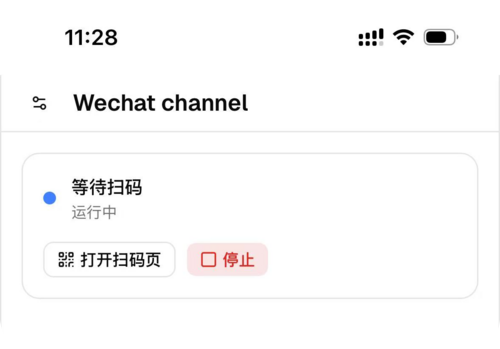
WeChat integration — scan a QR code; no public internet resources required.
Multilingual support
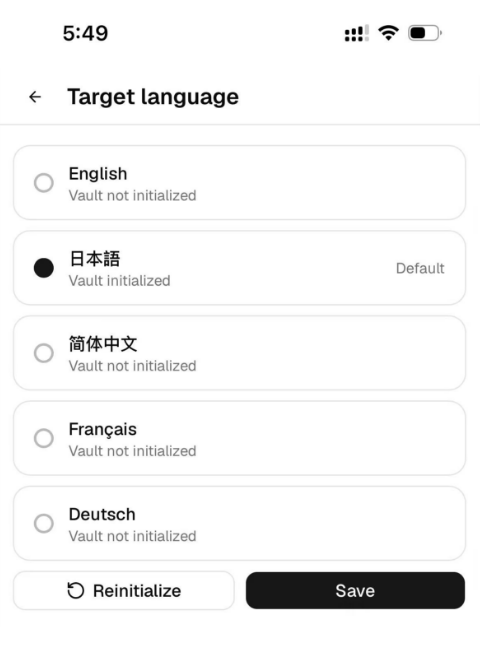
EverLingo currently supports English, Simplified Chinese, Japanese, French, and German as target learning languages. The interface can also be switched between English and Chinese. More languages will continue to be added.
Coming soon
The following features are planned, under development, or coming soon:
Spaced repetition and automatic review
This is EverLingo’s next major focus.
The system will automatically identify words you repeatedly look up, expressions you tend to forget, and knowledge you have not reviewed for a long time. Based on the forgetting curve and spaced repetition, it will actively push review content at the right time.
No more maintaining a vocabulary list that you never actually look at.
iPhone lookup and translation integration
Select a word on your phone to look it up and translate it. Nori will translate it and remember it for you.
A richer learning profile
The system will gradually build your personal learning profile: mastery curves, a map of weak areas, learning-time statistics, and more, so you can clearly see your progress.
Summary
There is no shortage of AI dictionaries, AI translators, or AI language companions.
What is missing is a learning companion that remembers the context in which you learned and can bring it back when you need it.
EverLingo is still in its early stage, and many features are still on the way. But the core idea is simple: capture the context while you learn, then recall it when it can strengthen your memory.
If you’re learning a foreign language and are tired of the cycle of looking something up, forgetting it, and looking it up again, give EverLingo a try.
Issues and PRs are also welcome — let’s make it better together.
Finally, here’s why I started this project:
- I am a office worker who needs to use foreign languages both in my professional work and when learning technology. I know firsthand how important contextualized memory and knowledge organization are.
- I believe my middle-school-aged kid needs, at the very least, an error notebook and a way to classify mistakes, so they can review them and practice more effectively. These are things AI is well suited to help with.
Finally, if you think this open-source project https://github.com/labilezhu/everlingo might be useful someday, please give it a little star ⭐. Thank you! 🤗
Quick Start
Currently supports amd64 (Linux/Windows WSL PCs) and arm64 (Linux containers on M-series Macs / Raspberry Pi).
I have personally tested it on amd64 Linux and arm64 Raspberry Pi.
Quick Docker setup
|
|